
Sorting Files Too Big for Memory 📄
A practical guide to external sorting for files larger than your system memory

How would you sort a file that exceeds your available memory? 🤔
This is one of the most commonly asked interview questions used to evaluate a candidate’s ability to reason about large-scale data processing. I was no exception — I was asked this exact question during an interview for a Senior Java Engineer role 💼.
In this post, I’ll share a practical, hands-on guide to external sorting: how it works, why it’s needed, and how to implement it step by step 🛠️.
File Sorting Flow 🔄
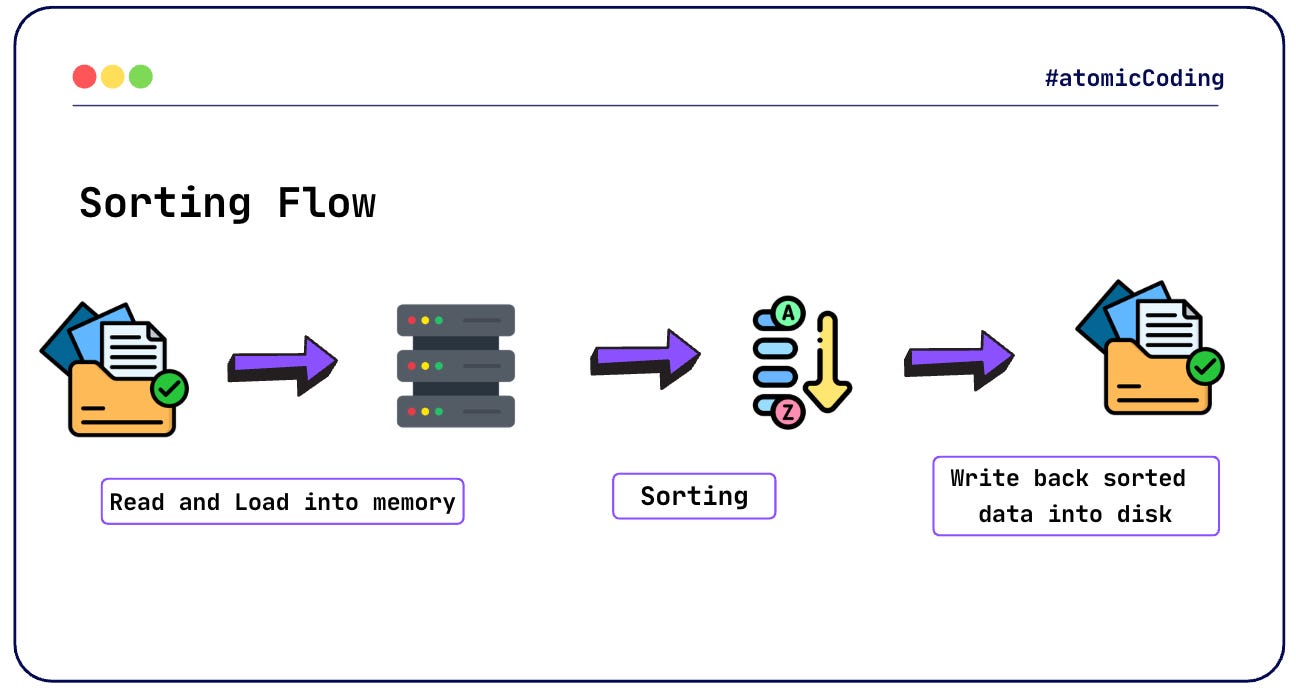
Sorting a file sounds straightforward. At a high level, all we need to do is:
Read data from a file into memory 📥
Apply a sorting algorithm (e.g., Quick Sort, Merge Sort) 🔢
Write the sorted data back to a file 📤
Sample Implementation (Kotlin) 🧩
fun main() {
    val numbers = File(”input.txt”)
        .readLines()
        .map { value -> value.toInt() }
        .sorted()

    File(”output.txt”).bufferedWriter().use { writer ->
        numbers.forEach { number ->
            writer.write(”$number\n”)
        }
    }
}
This approach works perfectly — as long as the entire file fits into memory ✅.
But what happens when it doesn’t? ❌
What Happens When the File Is Too Large? 🚨
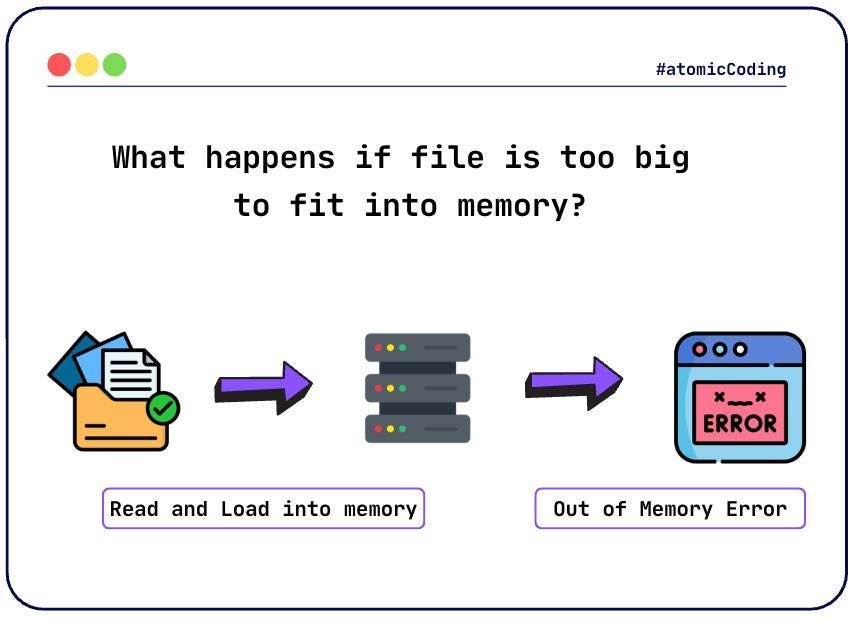
Assume we have:
An input file of 100 MB 📄
Available memory of only 20 MB 🧠
Since the entire file cannot be loaded into memory, attempting to sort it using an in-memory approach will fail.
To simulate this, we can restrict the Java heap size:
-Xms20m– minimum heap size-Xmx20m– maximum heap size
Using the same code as before:
// -Xms25m - min Heap Size
// -Xmx25m - max Heap Size

fun main() {
    val numbers = File(”input.txt”)
        .readLines()
        .map { value -> value.toInt() }
        .sorted()

    File(”output.txt”).bufferedWriter().use { writer ->
        numbers.forEach { number ->
            writer.write(”$number\n”)
        }
    }
}
This results in the following runtime error 💥:
Exception in thread “main” java.lang.OutOfMemoryError: Java heap space
    at kotlin.io.TextStreamsKt.forEachLine (ReadWrite.kt:161)
    at kotlin.io.FilesKt__FileReadWriteKt.forEachLine (FileReadWrite.kt:244)
    at kotlin.io.FilesKt__FileReadWriteKt.readLines (FileReadWrite.kt:273)
    at com.atomic.coding.SortingKt.main (Sorting.kt:7)
Clearly, a different approach is needed 🧩.
External Sorting 🗂️
External sorting is a classic and well-established solution for handling files that are too large to fit into memory.
The algorithm is divided into two distinct phases:
Partitioning and Sorting Phase ✂️
Merging Phase 🔀
Let’s explore each phase in detail 🔍.
Partitioning and Sorting Phase 📦
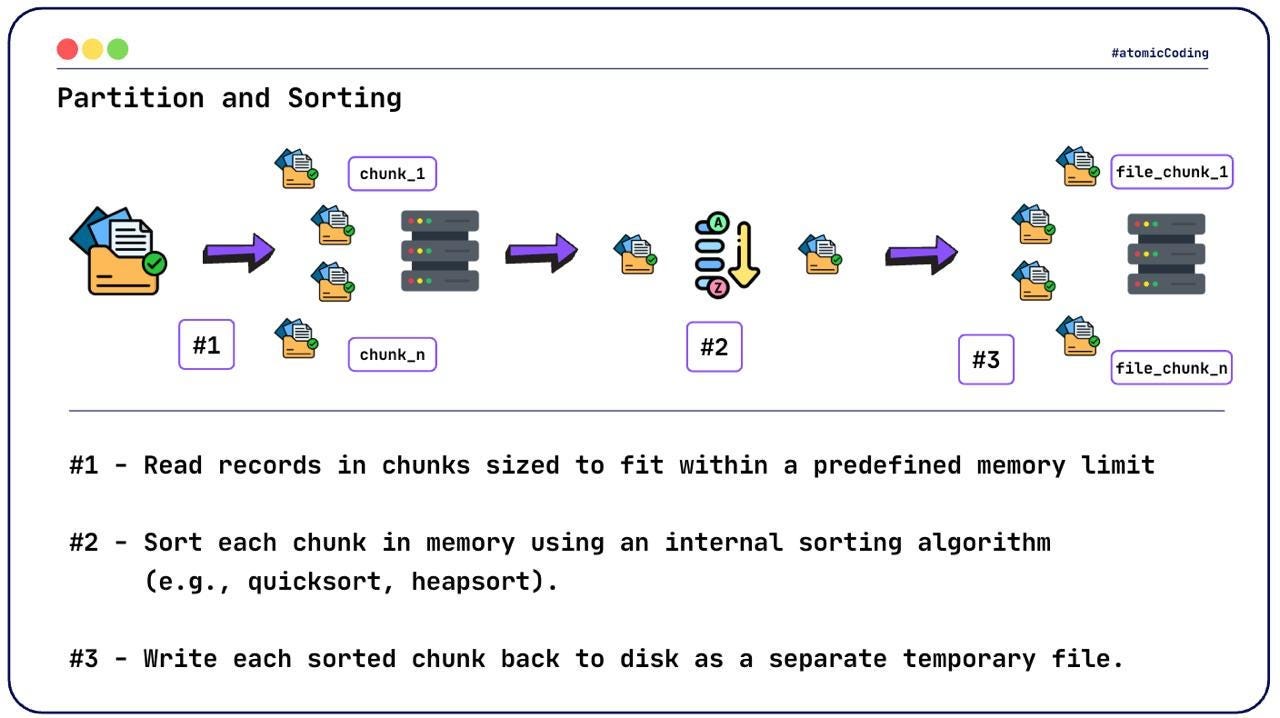
The core idea is to split the large input file into smaller, manageable chunks that do fit into memory.
Each chunk is:
Loaded into memory 🧠
Sorted using an in-memory algorithm 🔢
Written back to disk as a temporary sorted file 💾
This allows us to process arbitrarily large files while respecting memory constraints.
Once all chunks are sorted and written to disk, we move on to the second phase ➡️.
Merging Phase 🔗
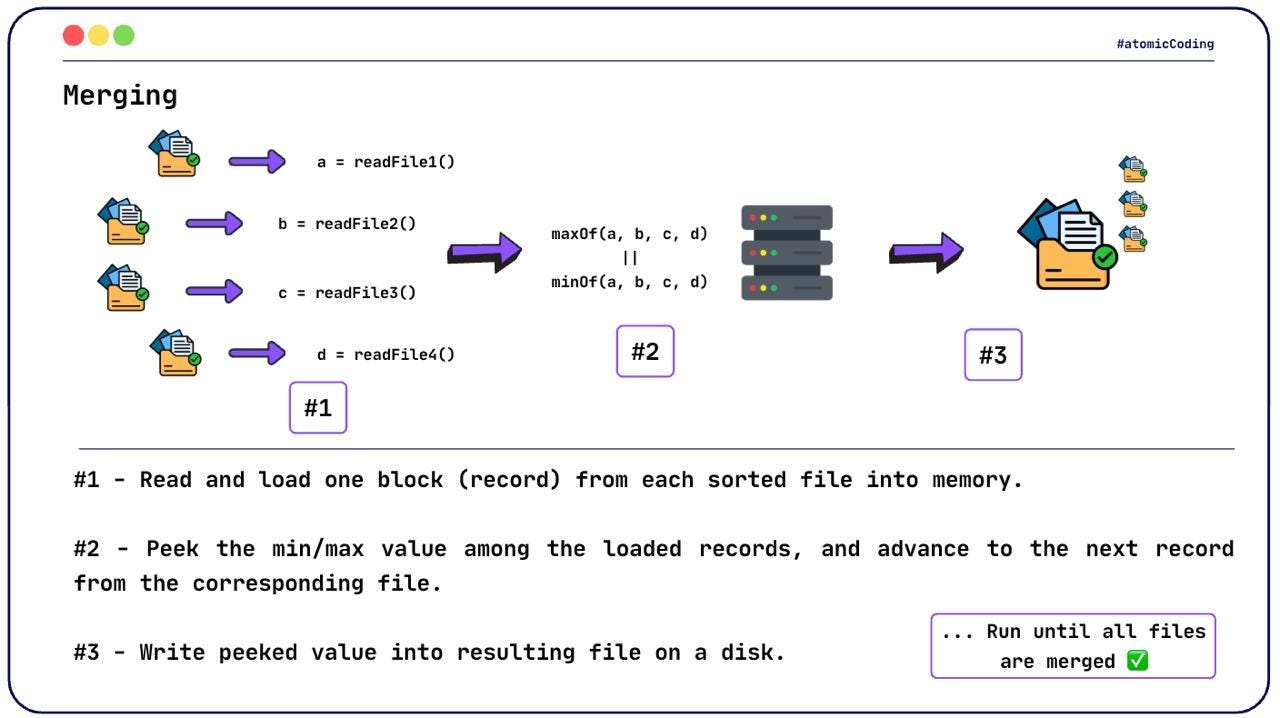
At this point, we have multiple individually sorted chunk files. The goal now is to merge them into a single, fully sorted output file 🏁.
However, we still cannot load all chunks into memory at once ⚠️.
Key Idea 💡
Read one record at a time from each chunk file
Keep track of the smallest (or largest) value across all chunks
Write that value to the output file
Advance only the corresponding file
To efficiently determine the next smallest (or largest) value, we use a PriorityQueue ⚙️.
The queue allows:
O(1) access to the minimum (or maximum) element
Efficient merging across multiple sorted streams
The algorithm continues until all chunk files are fully processed ✅.
Implementation Breakdown 🧱
Partitioning and Sorting
import java.io.File

fun writeFileInChunks(
    inputFile: File,
    outputDir: File,
    chunkSize: Int = 1024 * 1024
) {
    var currentChunkBytes = 0
    val chunks = mutableListOf<Int>()
    var chunkIndex = 0

    inputFile.bufferedReader().useLines { lines ->
        lines.forEach { line ->
            val lineBytes = 2 * line.length + 40

            if (currentChunkBytes + lineBytes > chunkSize) {
                chunks.sort()
                val chunkFile = File(outputDir, “chunk_$chunkIndex.txt”)
                chunkFile.bufferedWriter().use { writer ->
                    chunks.forEach { chunk ->
                        writer.write(”$chunk\n”)
                    }
                }
                chunkIndex++
                chunks.clear()
                currentChunkBytes = 0
            }

            currentChunkBytes += lineBytes
            chunks.add(line.toInt())
        }

        if (chunks.isNotEmpty()) {
            chunks.sort()
            val chunkFile = File(outputDir, “chunk_$chunkIndex.txt”)
            chunkFile.bufferedWriter().use { writer ->
                chunks.forEach { chunk ->
                    writer.write(”$chunk\n”)
                }
            }
        }
    }
}
Key Steps Explained 🧭
Initialize an in-memory list to store values for the current chunk, a byte counter to track memory usage, and a chunk index to generate unique file names.
var currentChunkBytes = 0
val chunks = mutableListOf<Int>()
var chunkIndex = 0
Read the input file line by line using a buffered stream to avoid loading the entire file into memory.
inputFile.bufferedReader().useLines { lines -> ... }Estimate the memory footprint of each line and check whether adding it would exceed the configured chunk size.
val lineBytes = 2 * line.length + 40When the chunk size limit is reached:
Sort the in-memory data
Write it to disk as a temporary chunk file
Clear memory and move on to the next chunk
chunks.sort()
File(outputDir, “chunk_$chunkIndex.txt”).bufferedWriter().use { ... }
Continue accumulating values until the file is fully processed, then sort and write the final chunk.
This phase guarantees that each temporary file is individually sorted and small enough to fit into memory, making it ready for the merging phase ✅.
Merging Sorted Chunks 🔀
import java.io.BufferedReader
import java.io.File
import java.util.PriorityQueue

fun mergeFiles(outputDir: File) {
    val fileWriter = File(”output.txt”).bufferedWriter()
    val files = outputDir.listFiles() ?: return

    val queue = PriorityQueue<Pair<Int, BufferedReader>>(
        compareBy { it.first }
    )

    files.forEach { file ->
        val reader = file.bufferedReader()
        val value = reader.readLine()?.toInt()

        if (value != null) {
            queue.offer(value to reader)
        } else {
            reader.close()
        }
    }

    while (queue.isNotEmpty()) {
        val (value, reader) = queue.poll()
        fileWriter.write(”$value\n”)

        val nextValue = reader.readLine()?.toInt()
        if (nextValue == null) {
            reader.close()
        } else {
            queue.offer(nextValue to reader)
        }
    }

    fileWriter.close()
}
Key Steps Explained 🧭
Initialize a
PriorityQueue<Pair<Int, BufferedReader>>, where:Intis the currently loaded valueBufferedReaderpoints to the corresponding file
val queue = PriorityQueue<Pair<Int, BufferedReader>>(compareBy { it.first })Load the first value from each chunk file and insert it into the queue
files.forEach { file ->
    val reader = file.bufferedReader()
    val value = reader.readLine()?.toInt()
    if (value != null) {
        queue.offer(value to reader)
    } else {
        reader.close()
    }
}
Repeatedly extract the smallest value, write it to the output file, and advance the corresponding reader
while (queue.isNotEmpty()) {
    val (value, reader) = queue.poll()
    fileWriter.write(”$value\n”)
    val nextValue = reader.readLine()?.toInt()
    if (nextValue == null) {
        reader.close()
        continue
    }
    queue.offer(nextValue to reader)
}
Demo ▶️
fun main() {
    // create temporary directory to store all chunks
    val outputDir = File(”chunks”).also { it.mkdir() }

    // input file of size 100MB
    val inputFile = File(”input.txt”)

    // partition and sort
    writeFileInChunks(inputFile, outputDir)

    // merge all chunks into a single sorted file
    mergeFiles(outputDir)
}
Conclusion 🎯
In this post, we explored:
Why traditional in-memory sorting fails for large files ❌
How external sorting overcomes memory limitations 🧠
A practical, step-by-step Kotlin implementation 🧑💻
This approach enables efficient processing of massive datasets on a single machine without running into OutOfMemoryError.
How Does This Work in Distributed Systems? 🌐
So far, we’ve discussed a single-machine setup. In distributed systems, the core idea remains the same, but coordination changes.
A master node partitions the input data 🧠
Chunks are distributed to worker nodes over the network 🧑🏭
Each worker sorts its assigned chunk in parallel ⚡
The master node performs the merging phase 🧬
The merging logic is conceptually identical: the master node pulls records from workers, selects the minimum (or maximum), and instructs the corresponding worker to advance.
This is the foundational principle behind data-processing frameworks like Hadoop and Apache Spark 🔥.
If you found this post useful, like and subscribe for more deep dives into system design and large-scale data processing 🙌
Happy Coding 🚀